
Introduction #
I’m learning Chinese, and it’s quite challenging. Along the way, I’ve tried a lot of apps and websites. Recently, I started reading a book that recommends using a frequency dictionary, which lists words by how often they’re used. Basically, it shows you the most common words in a language.
For example, in French, I’m pretty sure “Bonjour” (which means “Hello, Good morning”) is used very often. But “Camionnette” (which means “Van, Small truck”)? I’m 100% sure you won’t learn that word at the beginning 😉
I found the idea really good and started looking for this kind of book, but… English isn’t my mother tongue. If you’ve read the “About” page (I’m sure you have 😛), you already know this. Then I checked whether someone on the internet had made a deck like this for Anki, and guess what? Someone had! The internet is amazing!
Before going further: what is Anki?
What is Anki? #
Anki is a free and open-source flashcard app for learning anything. You create cards, store them in a deck, and review them every day. It shows you each card right when your brain is about to forget it, which helps you remember the information. You can use it for any field: medicine, language learning, and more. Interesting, isn’t it?
Here’s what it looks like:
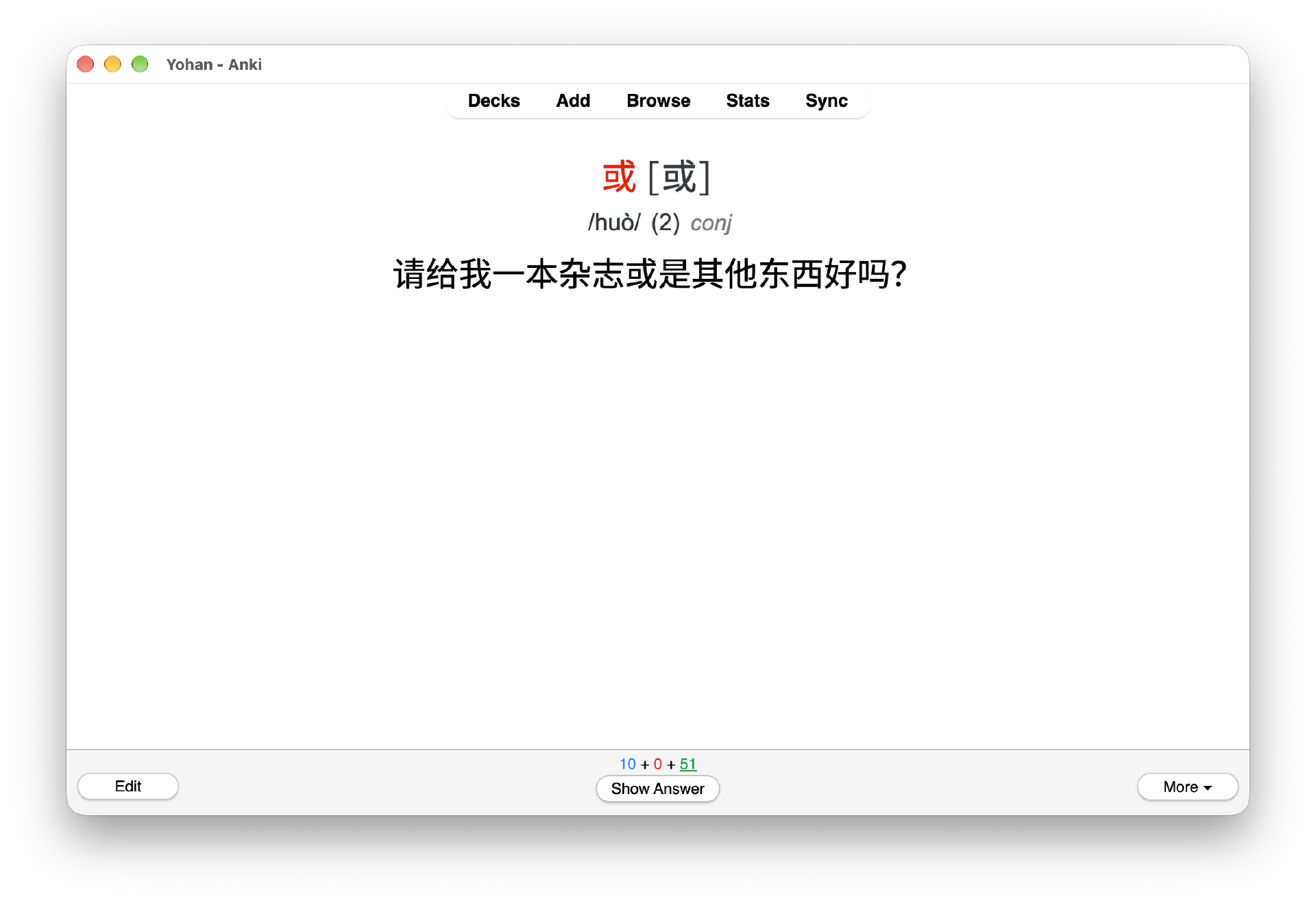
Now you have to remember the translation of this word. When you think you’ve got it (or you’ve forgotten it), click the button at the bottom or press Enter. This reveals the other side of the card.
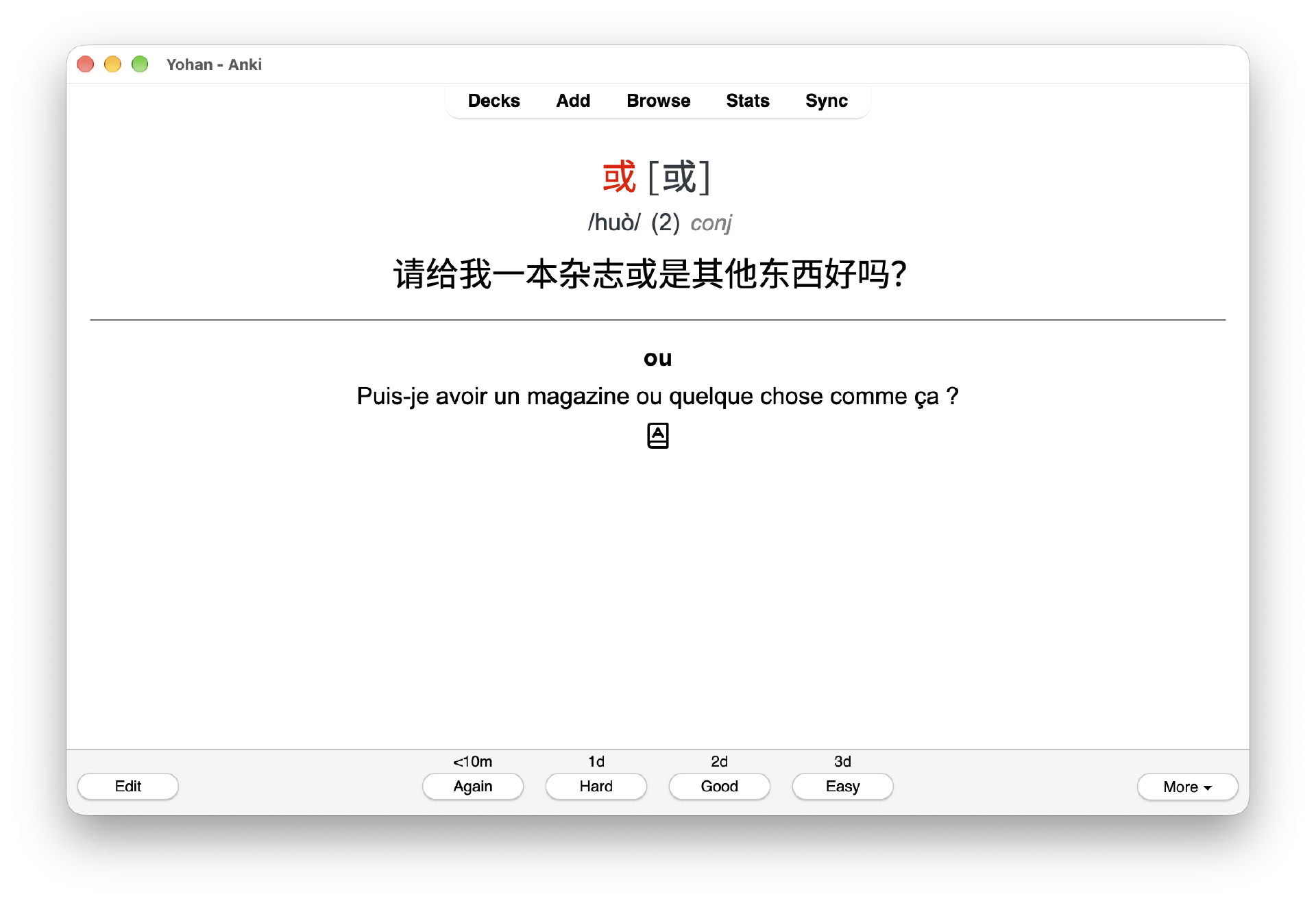
Then you tell Anki how it went: you forgot it, you remembered it with difficulty, you remembered it, or it was too easy.
Your answer decides when the card will show up again.
It’s minimalist and powerful! Lovely!
How I used the frequency deck #
The best part about Anki is that you can share your decks with the community. That’s where the Chinese frequency deck comes from. As a non-native English speaker, my problem is that the deck is entirely in English. That’s fine for a lot of people, but learning a new language through a third language is quite complicated. Learning through your mother tongue makes the process much easier.
To fix this, I thought of AI! Yes, AI again. It’s very useful for translating content into another language. Oh! Did I mention that Anki supports add-ons? No?… My bad…
One add-on is especially useful here: AnkiConnect. It opens an HTTP API that lets other tools talk to Anki and control it. A godsend for AI.
Just imagine what you can do with this! Ask the AI to summarize your progress, give you hints about your hardest cards, and so on.
In my case, I asked the AI to translate the English content into French. It can translate the English literally, or (even better) work from the Chinese, since that’s the language I’m actually learning.
As you saw in the screenshots, I’m now learning Chinese through my mother tongue, which is much more convenient for me.
Of course, the AI made some mistakes, so I kept the English as a reference to check whenever I’m unsure about a translation. It could be improved, but for now it does the job well.
What I asked the AI #
First, an important tip: tell the AI never to change anything without your approval. Then explain which deck you want to update. In my case, it’s “A Frequency Dictionary of Mandarin Chinese.” Tell it the fields are in English, and you want them translated into your mother tongue while keeping the English as a reference, for example in a new field. Once it understands the deck, it will ask whether you agree to update the whole deck. Be careful to tell it never to touch your review history. It should only update the fields and add the translations.
Quite simple, but very useful!
Everything else is up to your imagination: ask the AI to help you with a hard card, create example sentences to help you remember it, and so on.
Happy reviewing and studying!
